Connecting with friends in Roblox transforms your gaming experience from solo adventures to shared triumphs. This comprehensive guide navigates how to add Roblox friends, covering every platform from mobile to PC, ensuring you can easily link up with your gaming crew. For many adult gamers balancing work and family, Roblox offers a fantastic, low-stress escape, and playing with friends amplifies that joy. We dive into finding usernames, sending and accepting requests, troubleshooting common issues, and leveraging privacy settings to keep your social circle secure. Discover the true essence of social gaming and make the most of your Roblox sessions with pals. Learn tips for managing your friend list and staying current with in-game social trends, making every login a chance for fun and camaraderie. This month's trends continue to highlight social interaction as a top reason players engage, reinforcing the importance of a robust friends list for a richer, more enjoyable experience.
What's the easiest way to send a Roblox friend request?
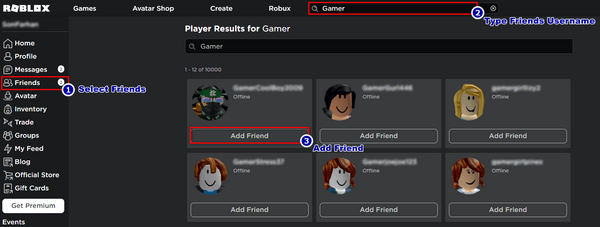
The easiest way to send a Roblox friend request is to use the search bar on the Roblox website or app. Type in your friend's exact username, click on their profile from the search results, and then click the prominent 'Add Friend' button. This method is direct and universally available across all platforms, ensuring a swift connection with minimal fuss.
How can I find a friend on Roblox if I only know their display name?
If you only know a friend's display name, the best approach is to ask them directly for their unique Roblox username. Display names can change, making them unreliable for searches. If direct contact isn't possible, try checking your 'Recent Players' list if you played a game together, as this often shows the actual usernames of recent interactions. Accuracy with usernames is key for successful requests.
Is there a limit to how many friends I can have on Roblox?
Yes, Roblox accounts typically have a friend limit of 200. This generous cap allows for extensive social connections. If you reach this limit, you'll need to remove existing friends to add new ones. This system helps manage platform resources and ensures that friend lists remain functional and responsive for all users.
What do I do if a friend request isn't going through on Roblox?
If a Roblox friend request isn't going through, first recheck the username for typos. Next, verify your friend's privacy settings; they might have restrictions on who can send requests. Ensure neither of you has pending requests to each other or has hit your friend limit. Finally, try restarting the app or browser, as a simple refresh can often resolve temporary glitches.
How do Roblox privacy settings impact friend requests?
Roblox privacy settings significantly impact friend requests by allowing users to control who can send them. Options typically include 'Everyone', 'Friends of Friends', or 'No One'. Adjusting these settings in your account's 'Privacy' tab enables you to filter incoming requests, ensuring you only receive them from trusted sources or specific groups, thereby enhancing your online safety and comfort.
Can I add friends cross-platform on Roblox?
Absolutely, Roblox is designed for cross-platform play. You can add friends and game with them regardless of whether they are on PC, Mac, mobile (iOS/Android), Xbox, or other supported devices. The platform seamlessly integrates users from different systems, requiring only their correct Roblox username to establish a friend connection and enjoy shared experiences.
Why is social interaction important in Roblox for adult gamers?
Social interaction in Roblox is crucial for adult gamers as it transforms individual play into a communal, stress-relieving experience. It fosters teamwork, allows for shared discovery of new games, and provides a low-pressure way to connect with like-minded individuals. For busy adults, it's a valuable outlet for camaraderie and fun, turning gaming into a fulfilling social activity that fits into their lifestyle and helps them unwind.
For many of us, gaming isn't just about blowing off steam after a long day of work or family duties; it's a vital social hub, a place to connect and unwind with people who share our passion. Roblox, in particular, offers a unique blend of creativity and social interaction, making it a go-to platform for millions of gamers. But what happens when you discover a fantastic new game or meet someone cool and want to keep playing together? That's where knowing how to add Roblox friends comes in. While it might seem straightforward, a few nuances can make the process smoother, especially when you're juggling life outside the virtual world.
You're not alone if you've ever felt the frustration of trying to link up with a new acquaintance online, only to hit a snag. Recent US gaming stats show that 87% of adult gamers play regularly, often dedicating 10+ hours a week, and social interaction is a significant driver. Mobile gaming, where Roblox is a dominant force, further amplifies this trend, allowing for quick, shared experiences. Our goal here is to cut through any confusion, providing clear, actionable steps so you can spend less time fumbling with friend requests and more time enjoying the countless experiences Roblox has to offer with your buddies. Let's make sure you're always connected and ready for your next adventure.
How Do You Add Friends on Roblox Easily?
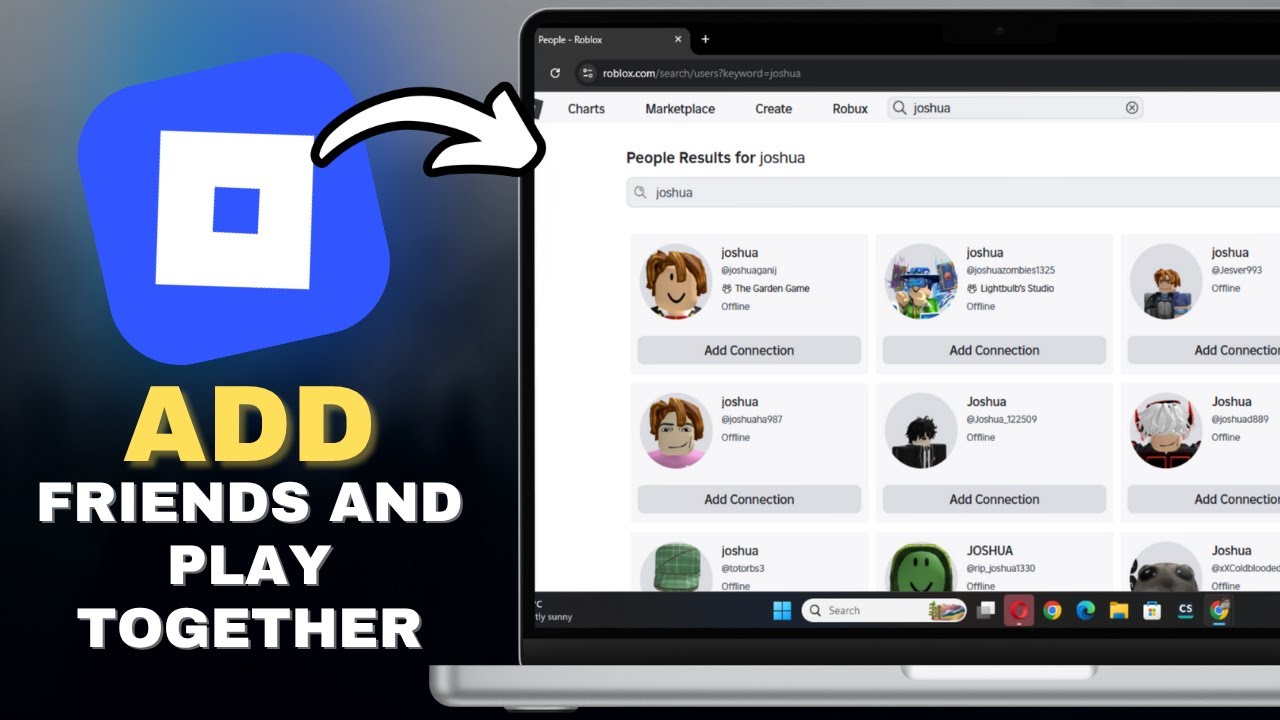
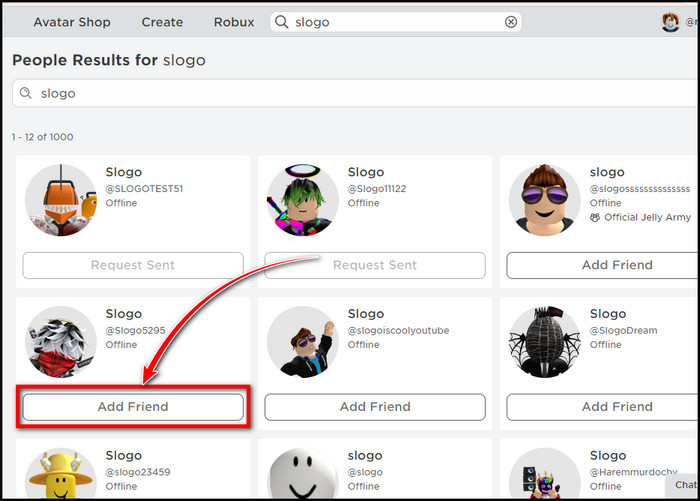
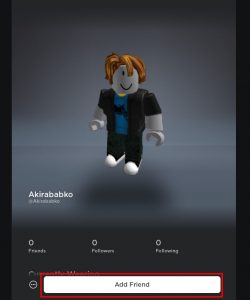
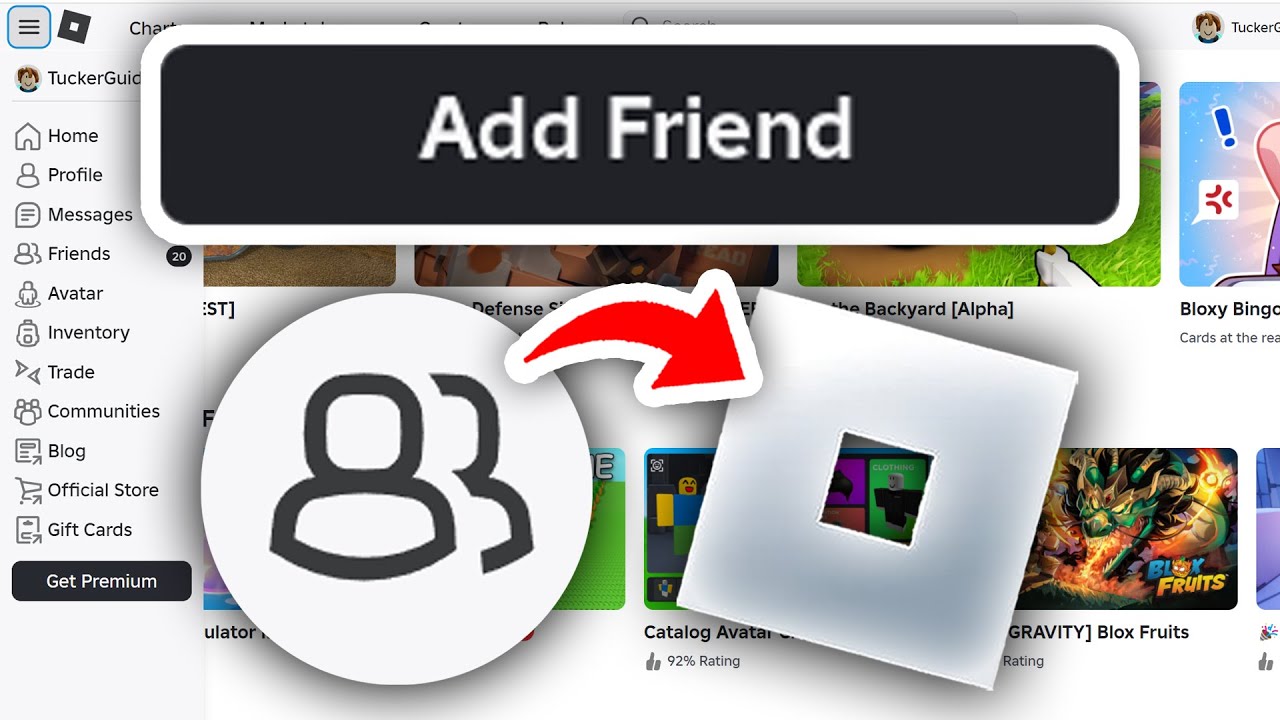
Adding friends on Roblox is a fundamental step to enhancing your social gaming experience. The primary method involves using the search bar found on the Roblox website or app. Once you're logged in, look for the search icon, typically represented by a magnifying glass, or a search bar at the top of the page. You will need your friend's exact Roblox username. Usernames are case-sensitive, so accuracy is key. After typing in their username, hit enter or click the search button. The search results will display their profile. On their profile page, you'll see a prominent 'Add Friend' button. Click this button, and a friend request will be sent. They will then need to accept it for you two to officially become friends. It's a simple, direct approach that forms the backbone of social connections on the platform.
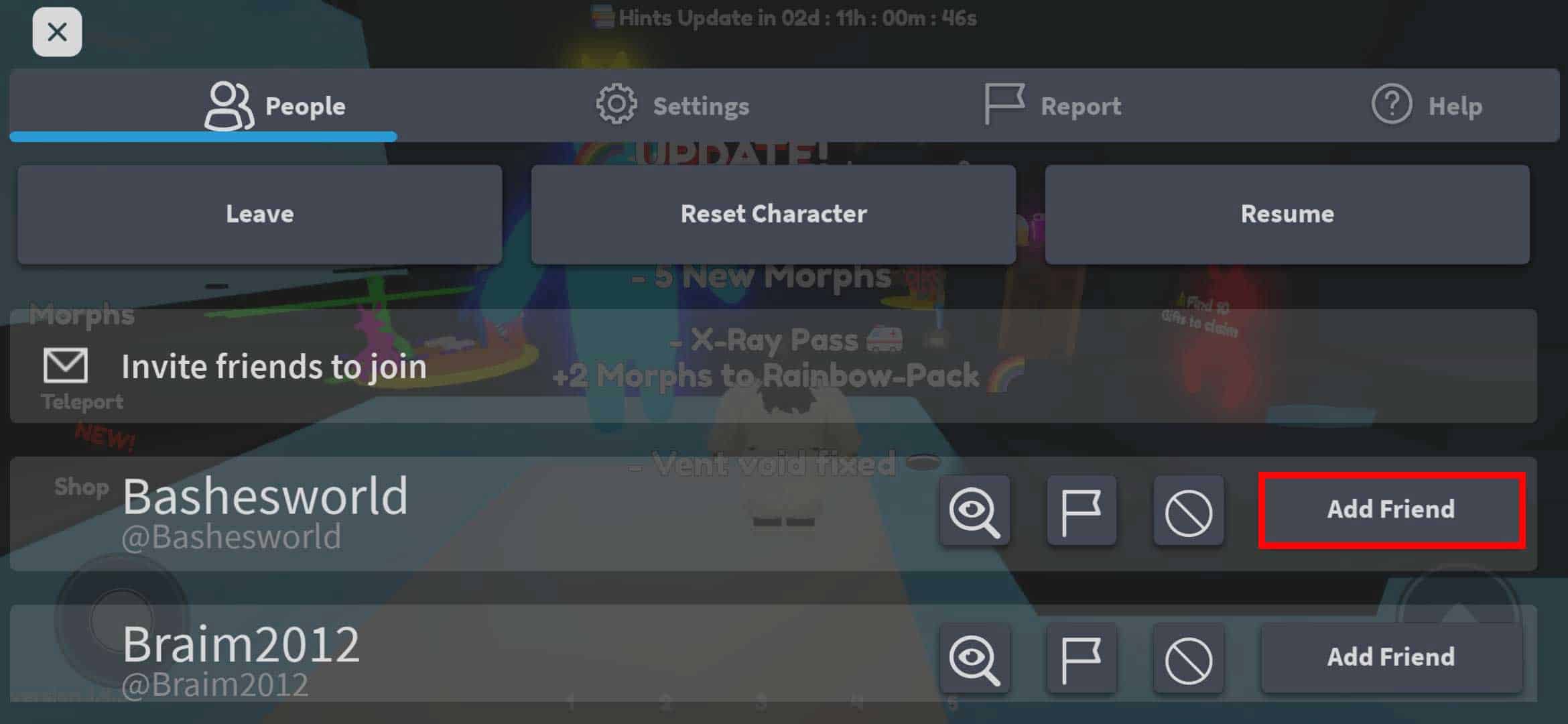
Beyond the direct search, you can also add friends directly within a game. If you're playing alongside someone you'd like to connect with, you can often click on their avatar in-game, or access the in-game player list. From there, an option to send a friend request usually appears. This method is incredibly convenient for spontaneous connections forged during shared gameplay, reflecting how social gaming often happens in real-time. Remember, communication is key; ensure you've confirmed their username before sending a request to avoid sending it to the wrong person.
Can You Add Friends on Roblox Mobile Devices?
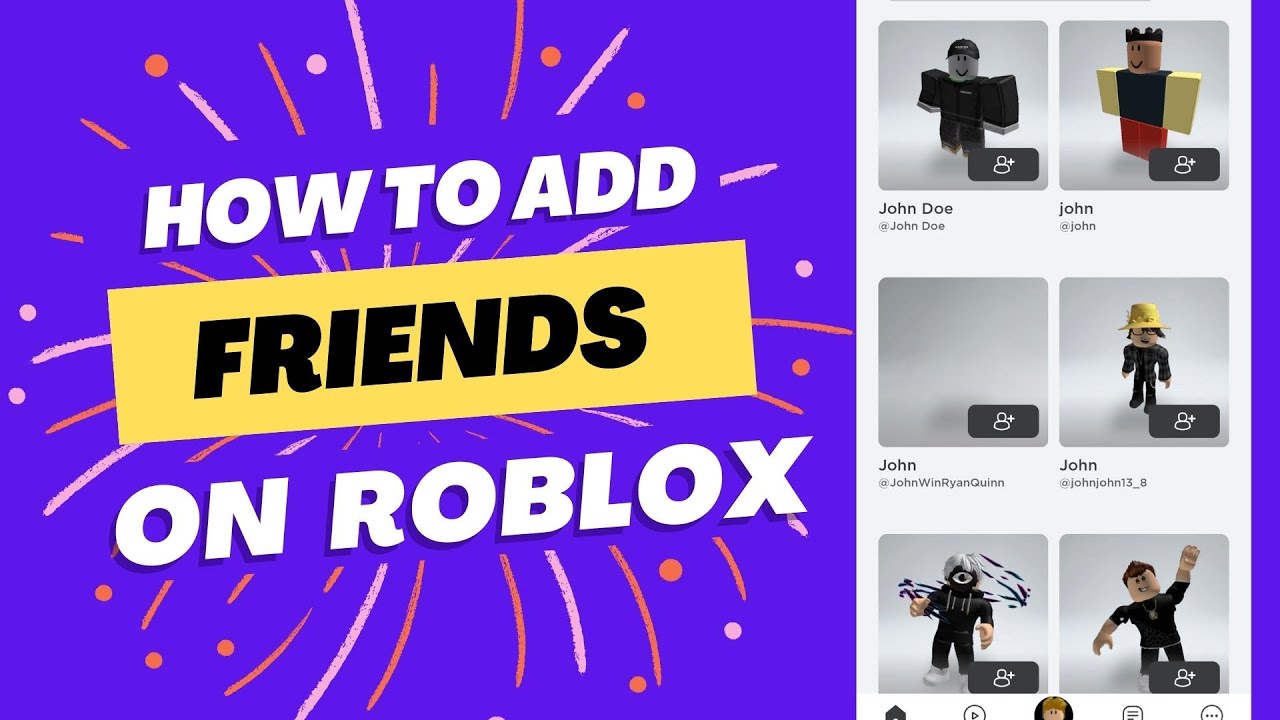
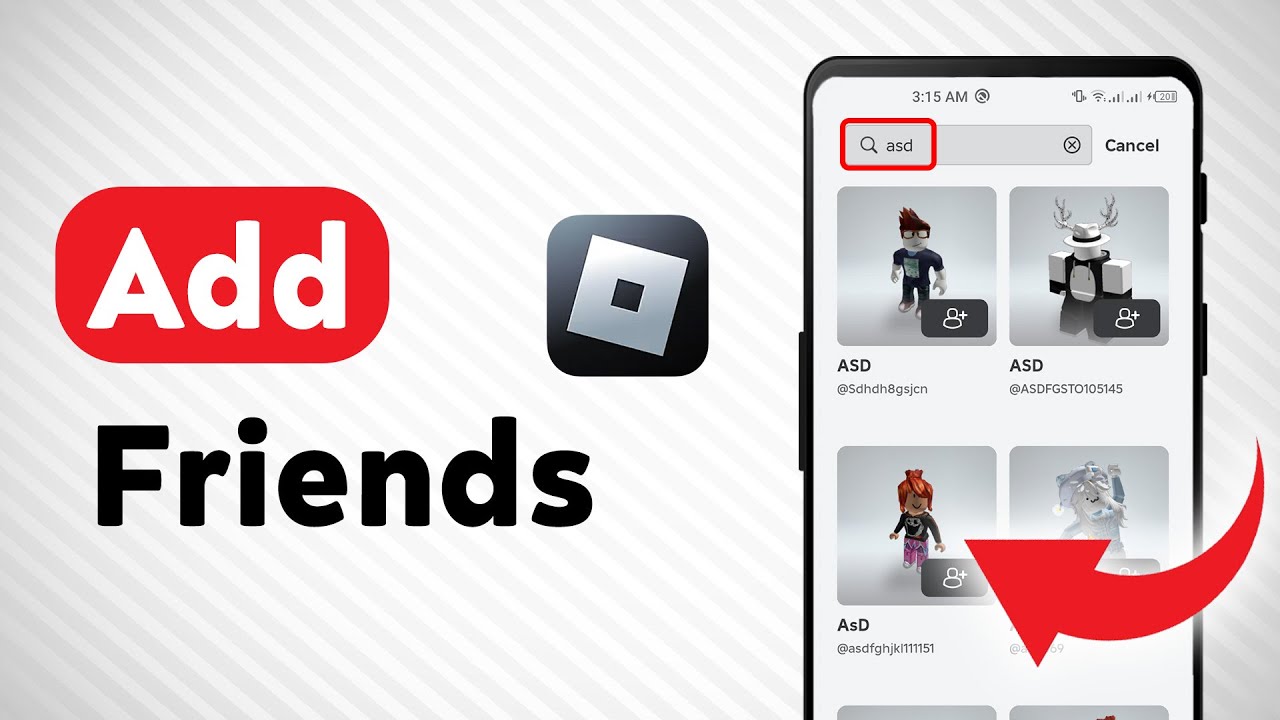
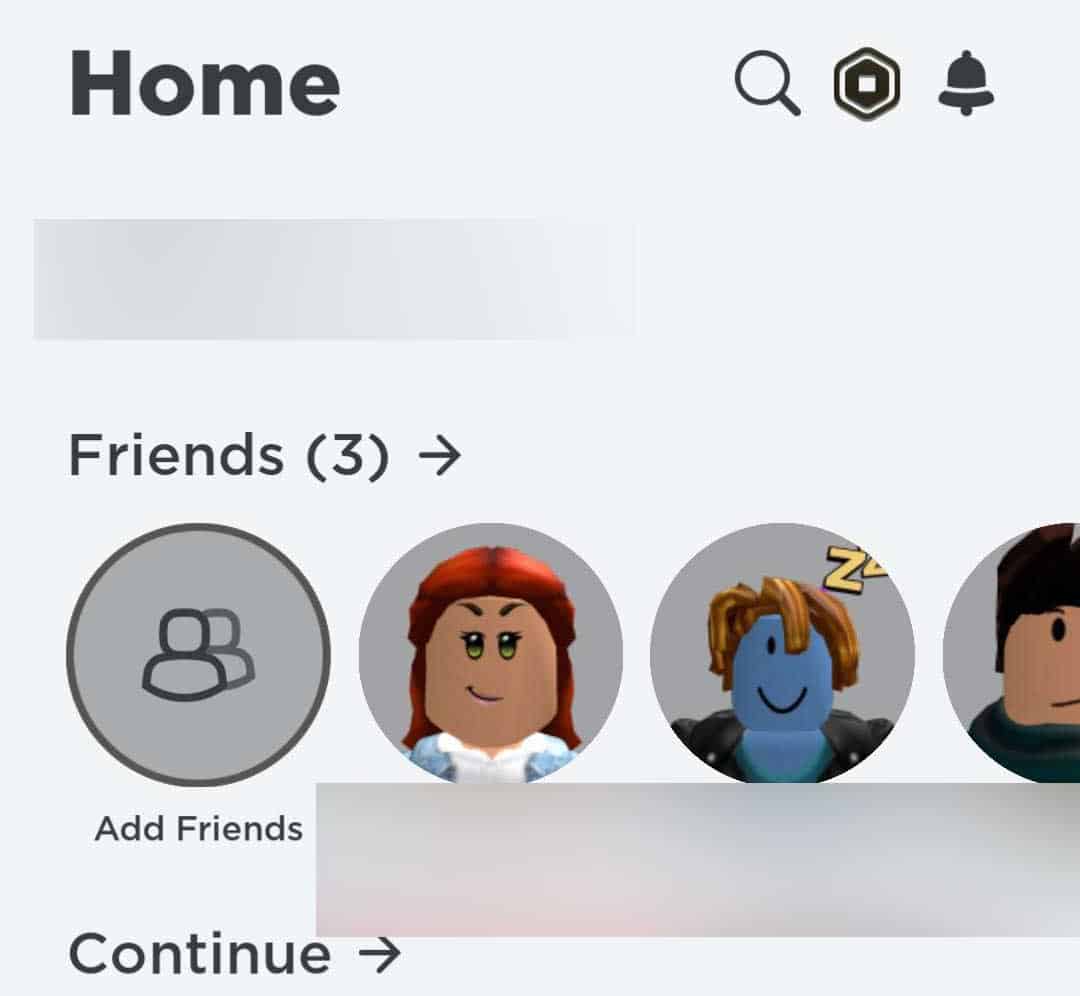
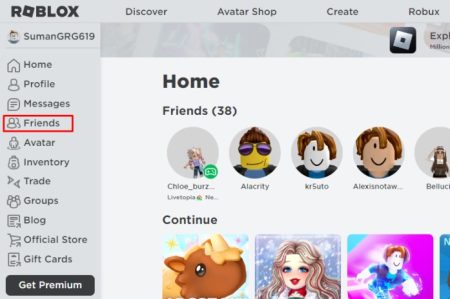
Absolutely, adding friends on Roblox mobile is just as straightforward as on a desktop, often even more intuitive given the app's streamlined design. The Roblox app, available on iOS and Android, is where many busy gamers connect on the go. To add a friend on mobile, open the Roblox app and tap the 'Friends' icon, usually located at the bottom of the screen. This will take you to your friends page. From there, look for the 'Add Friend' button or a search bar, often at the top. Tap it, type in your friend's exact username, and then select their profile from the search results. You'll find the 'Add Friend' button clearly displayed on their profile. Tap it, and the request is sent. This process is designed for quick, efficient connections, perfect for those brief moments you have to game between responsibilities.
Mobile dominance in gaming is a continuing trend, with millions using their phones to access Roblox. The app provides a seamless experience, integrating all the social features you'd find on PC. Whether you're waiting for an appointment or unwinding before bed, adding new allies to your Roblox adventures is never more than a few taps away. This accessibility is a major reason why social gaming thrives on platforms like Roblox, allowing for flexibility that fits into even the busiest schedules.
What If I Don't Know My Friend's Exact Username on Roblox?
Not knowing an exact username is a common hiccup, but it's not insurmountable. Roblox has millions of players, so a slight misspelling can lead you down the wrong path. If you only know a display name, try asking your friend directly for their unique username. Roblox usernames are distinct and cannot be changed, while display names can be altered every seven days. If direct communication isn't immediately possible, you can try searching for common variations of their display name or any other details you might know about their profile, though this can be hit or miss. It's always best to get the precise username to ensure you're connecting with the right person.
Another effective strategy, especially if you've played a game together recently, is to check your 'Recent Players' list. Many Roblox games, and the platform itself, keep a log of players you've interacted with. While not universally available for every single game, this feature can be a lifesaver for finding that cool player you just teamed up with. Remember to communicate clearly with your friends outside of Roblox, perhaps through Discord or a quick text, to exchange usernames. This simple step saves a lot of potential frustration and ensures you connect with your actual friends rather than a random player with a similar name.
How Do I Accept a Friend Request on Roblox?
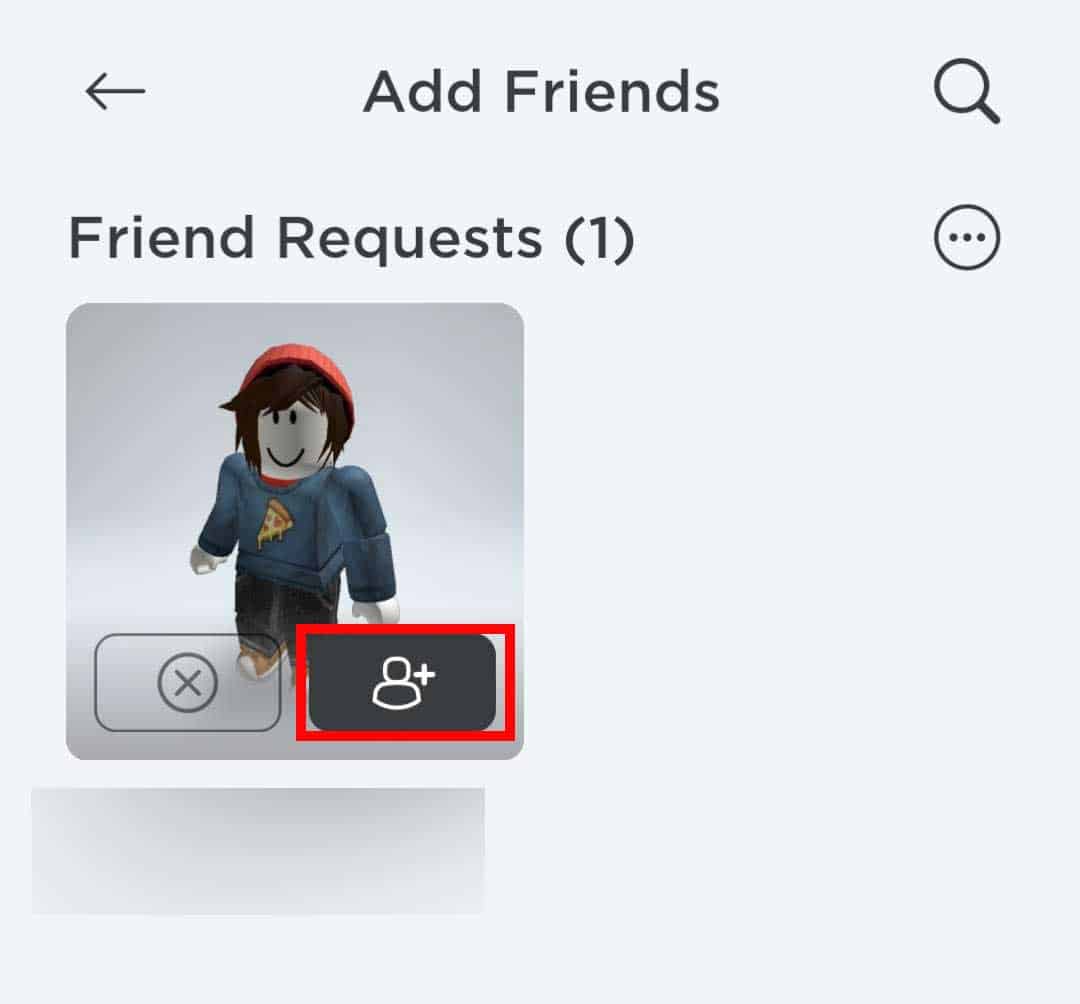
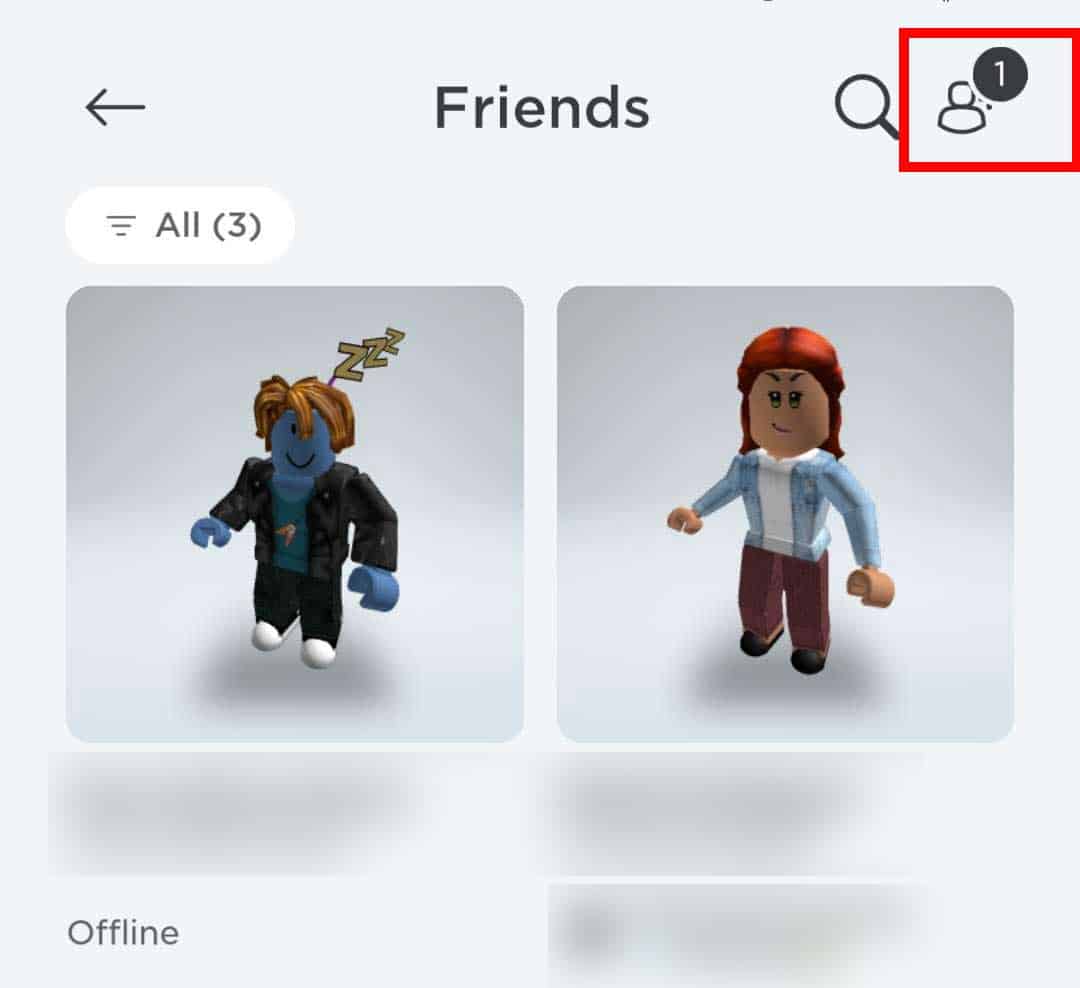
Accepting a friend request on Roblox is just as important as sending one. When someone sends you a friend request, you'll receive a notification. On the Roblox website, these notifications usually appear as a red number icon next to the 'Friends' tab or a bell icon at the top of the screen. In the mobile app, you'll also see a notification bubble on the 'Friends' icon at the bottom. Tapping or clicking on these notifications will take you to your 'Friends' page, specifically to the 'Requests' or 'Pending' section.
Here, you'll see a list of incoming friend requests. For each request, you'll typically have two options: 'Accept' or 'Decline'. Review the username to ensure it's someone you know and want to connect with. Once you click 'Accept', that person will be added to your friends list, and you'll be able to see their online status, join their games (if settings allow), and communicate with them more easily. It's a quick and easy process, but always be mindful of who you're accepting to maintain a safe and enjoyable gaming environment.
Why Can't I Send a Friend Request on Roblox? Troubleshooting Tips.
Occasionally, you might encounter issues when trying to send a friend request. This can be frustrating, especially when you're trying to quickly connect with someone. Several factors could be at play. First, double-check the username for typos. Even a single incorrect character will prevent the request from reaching its intended recipient. Second, the user you're trying to add might have their privacy settings configured to prevent friend requests from strangers. Many players, especially busy adults, set these to 'Friends of Friends' or even 'No One' to manage their interactions and avoid unsolicited requests. In such cases, you might need a mutual friend to introduce you, or for them to temporarily adjust their settings.
Another reason could be that you've already sent them a request, and it's still pending, or they've already declined it. Roblox won't let you send multiple requests to the same person if one is already active. Additionally, there's a limit to how many outgoing friend requests you can have pending at one time; while not a strict hard cap for individual users, sending too many at once can sometimes cause issues. If you suspect a technical glitch, try refreshing the page, restarting the app, or even clearing your browser's cache. Finally, ensure your own account is in good standing, as any temporary restrictions on your account could affect social features. Persistence and clear communication with your potential friend are your best tools here.
Are There Privacy Settings for Friend Requests on Roblox?
Yes, Roblox provides robust privacy settings that give you significant control over who can send you friend requests and how you interact with other players. For gamers who prioritize a balance between social interaction and personal space, these settings are invaluable. To access them, go to your 'Account Settings' (usually via the gear icon) and then navigate to the 'Privacy' tab. Here, you'll find options like 'Who can send me friend requests?'
Your choices typically include:
- Everyone: Anyone can send you a friend request.
- Friends of Friends: Only users who are friends with someone already on your friends list can send you a request. This is a popular choice for adult gamers, offering a layer of protection while still allowing for organic social growth.
- No One: No one can send you friend requests. This is the most restrictive option, ideal if you prefer to only add friends yourself or through specific channels.
Adjusting these settings allows you to tailor your Roblox experience to your comfort level. It's recommended to periodically review these settings, especially if your social gaming habits change. Maintaining control over your interactions helps ensure a positive and secure environment on the platform, allowing you to relax and enjoy your gaming without unnecessary interruptions.
How Does Social Gaming Enhance My Roblox Experience?
Social gaming on Roblox significantly enhances the overall experience, turning individual adventures into shared memories. For many adult gamers, it's not just about winning or progressing; it's about the camaraderie. Playing with friends means you have built-in companions for cooperative games, reliable teammates for competitive challenges, and simply someone to chat with while exploring the vast Roblox universe. This connection can reduce the stress often associated with online anonymity, making your gaming sessions more enjoyable and less prone to negative interactions.
Moreover, friends can introduce you to new games, strategies, and communities you might not have discovered on your own. This month's trends continue to highlight the importance of community and shared experiences, with social/cozy games seeing a surge in popularity. Having friends makes it easier to jump into these trending experiences. Whether it's building a virtual home together, embarking on an epic quest, or just hanging out in a social hub, friends elevate every moment. It taps into the natural human desire for connection and collaboration, turning gaming from a solitary pastime into a vibrant, interactive social activity that seamlessly blends into your life.
What are the Benefits of Having Friends on Roblox?
Having friends on Roblox extends far beyond simply having someone to play with; it unlocks a richer, more dynamic gaming ecosystem. Here are some key benefits:
- Enhanced Cooperation and Strategy: Many Roblox games thrive on teamwork. With friends, you can coordinate strategies, cover each other's backs, and achieve goals that might be impossible solo. This skill-building aspect is particularly appealing to gamers who value performance optimization and a sense of accomplishment.
- Access to Private Servers: Some games allow friends to create or join private servers. This is perfect for focused gameplay, role-playing, or just hanging out without the interference of strangers, offering a more controlled and relaxed environment.
- Shared Discovery: Friends are an excellent source for game recommendations. They can introduce you to hidden gems, trending experiences, or new game types that align with your interests, saving you time from sifting through countless options.
- Stress Relief and Social Connection: For busy adults, gaming with friends is a fantastic way to de-stress. It offers a low-pressure social outlet, allowing you to chat, laugh, and unwind without the commitments of real-world meetups.
- Mutual Support and Advice: Need help with a tricky puzzle, a boss battle, or understanding a game's mechanics? Your Roblox friends can provide tips, tricks, and moral support, turning challenges into shared successes.
- Staying Current without Hype: Friends can keep you informed about what's genuinely fun and trending on Roblox, cutting through the noise and hype to recommend experiences that are truly worth your limited gaming time.
In essence, friends transform Roblox into a personalized, supportive, and infinitely more fun virtual world, making every minute you spend gaming more rewarding.
Can I Remove Friends on Roblox if I No Longer Wish to Be Connected?
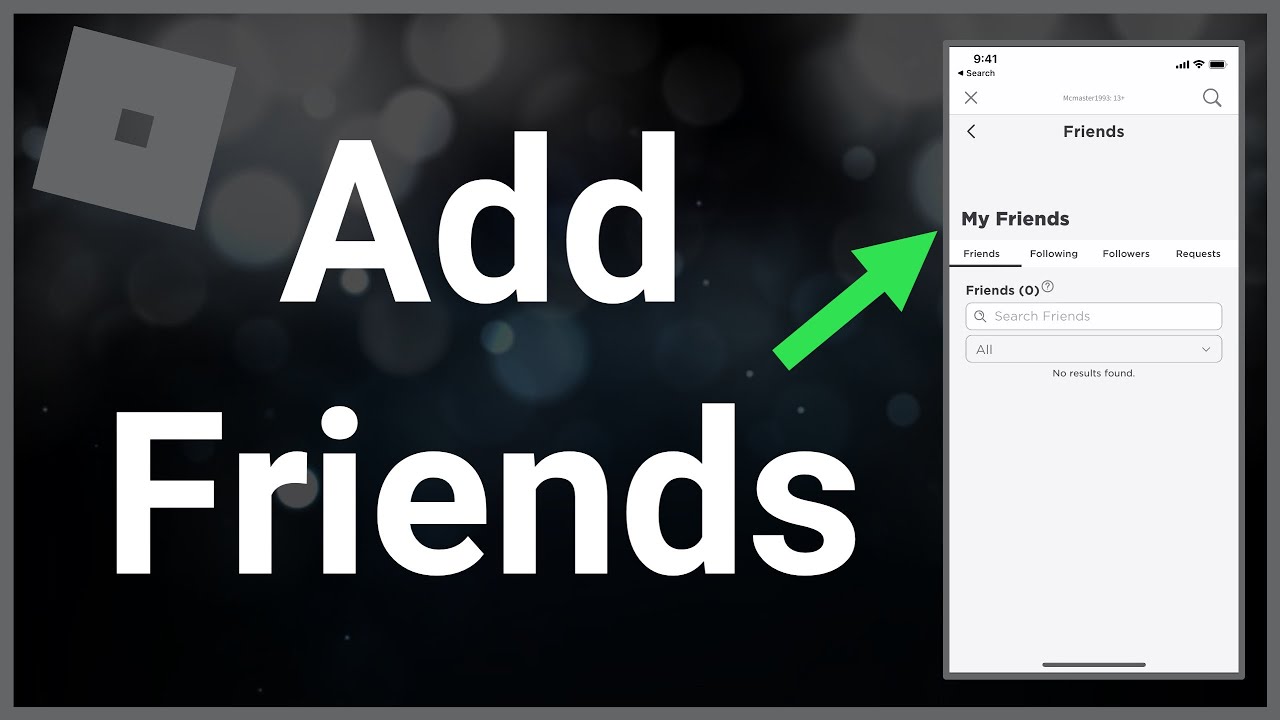
Yes, managing your friend list on Roblox is an essential part of maintaining a comfortable and relevant social gaming environment. You can easily remove friends if you no longer wish to be connected with them. To do so, navigate to your 'Friends' page on the Roblox website or app. From there, you'll see your full list of current friends. Find the friend you wish to remove. Clicking or tapping on their name will take you to their profile page. On their profile, you will typically see an option like 'Unfriend' or 'Remove Friend'. Simply click this button, and they will be removed from your friends list. They will no longer appear in your friends tab, and you will no longer appear in theirs. This action is usually immediate.
There's no penalty for unfriending someone, and it's a perfectly normal part of managing your online social circles. Whether your gaming interests diverge, or you simply prefer to curate your list, Roblox provides the tools to ensure your friend list reflects your current connections. This flexibility helps you maintain a positive and controlled social experience, aligning with the platform's focus on user safety and enjoyment.
How Do I Join a Friend's Game on Roblox After Adding Them?
Once you've successfully added a friend on Roblox, joining their game is usually very simple, provided their privacy settings allow it. The most common way to join a friend is through your 'Friends' page. On the Roblox website or app, go to your 'Friends' tab. Here, you'll see a list of your online friends. If a friend is currently in a game, their status will often indicate 'Playing' along with the name of the game they are in. Next to their name or on their profile card, you will typically see a 'Join Game' button.
Clicking this button will directly launch you into the game they are playing. Keep in mind that some games have full servers or specific privacy settings that might prevent you from joining directly. If you encounter an issue, your friend might need to invite you to their specific server or check their game privacy settings. If they are in a private server, they may need to share an invite link. This seamless ability to join friends' games is a cornerstone of Roblox's social appeal, allowing for instant shared experiences and making it easy to jump into the fun together.
FAQ Section
Can I add friends on Roblox if they are on a different platform?
Yes, Roblox is largely cross-platform, meaning you can add friends and play with them whether they are on PC, Mac, iOS, Android, Xbox, or other supported devices. As long as you have their correct Roblox username, the platform you are both using does not usually prevent friend requests or gameplay. This cross-play capability is a huge advantage for gamers with friends on various systems, simplifying social connections.Is there a limit to how many friends I can have on Roblox?
Roblox does have a friend limit. Historically, accounts can have up to 200 friends. While this is a generous number for most players, it's worth being aware of if you're a highly social gamer. If you reach this limit, you would need to unfriend someone to add a new person. This helps manage server load and user experience, ensuring that even large friend lists remain functional.What should I do if my friend request isn't showing up for my friend?
If your friend request isn't showing up, first ensure you've sent it to the correct, exact username. Next, ask your friend to check their privacy settings; they might have 'No One' or 'Friends of Friends' selected for incoming requests. Also, verify that neither of you has reached your respective friend limits or pending request limits. Sometimes, simply restarting the Roblox app or website can refresh the pending requests list.How do I know if someone has accepted my friend request?
You'll receive a notification when someone accepts your friend request. This notification typically appears as an alert on the Friends icon or within your general notifications feed on Roblox. Once accepted, they will appear on your active friends list, and their status will be visible, indicating if they are online or playing a game. This immediate feedback ensures you know when your connection is established.Can I send a friend request to a user who has blocked me?
No, if a user has blocked you on Roblox, you will not be able to send them a friend request. Blocking is designed to prevent all forms of communication and interaction between two users, including friend requests. If you believe you've been blocked, you'll need to resolve that situation outside of Roblox if you wish to reconnect.What is the benefit of having 'Friends of Friends' privacy setting?
The 'Friends of Friends' privacy setting for friend requests offers a balanced approach to social interaction and security. It allows new connections to be made through existing mutual friends, creating a somewhat vetted social network. This can reduce unwanted requests from complete strangers while still allowing you to meet new people within your extended gaming circle, providing a safer and more trusted environment.Conclusion
Mastering how to add Roblox friends is more than just a technical skill; it's about unlocking a richer, more connected gaming life. In a world where 87% of US gamers regularly play, often for 10+ hours a week, social interaction is a cornerstone of the experience. From navigating privacy settings to troubleshooting common request issues, you now have the tools to easily build and manage your Roblox social circle, whether you're on PC or mobile. Remember, gaming is often at its best when shared. By connecting with friends, you enhance cooperation, discover new worlds, and find valuable social relief amidst your daily grind. So go forth, connect, and transform your Roblox adventures into truly memorable, shared experiences. What's your biggest gaming challenge when it comes to connecting with friends? Comment below!
Adding Roblox friends is crucial for social gaming. Methods include searching by username, using the in-game 'Add Friend' button, and accepting requests. Privacy settings allow control over who can send you requests. Troubleshooting tips are provided for common issues like requests not going through. Connecting with friends enhances the overall Roblox experience, facilitating cooperative play and shared fun.
35


How To Add People Roblox Easily Your 2026 Guide How To Add Friends On. How To Add People Roblox Easily Your 2026 Guide Add Friend Roblox Xbox . How To Add Friends On Roblox Tutorial YouTube . How To Add Friends On Roblox YouTube . How To Add Friends In Roblox Add Your Friends Roblox Guide YouTube


How To ADD FRIENDS In Roblox And PLAY Together In SECONDS YouTube . How To Add Friends In Roblox Roblox How To Add Friends 8 1 466x320 . How To Add Friends On Roblox YouTube . How To Add Friends On Roblox Quick And Easy YouTube . How To Add Friends On Roblox Add Friend Icon



HOW TO ADD FRIENDS ON ROBLOX YouTube . How To Add Friends On Roblox App YouTube . How To Add Friends On Roblox 2026 YouTube Hqdefault . How To Add Friends In Roblox Roblox How To Add Friends 10 1 . 3 Ways To Add Friends On Roblox WikiHow Aid596613 V4 728px Add Friends On Roblox Step 4


How To Add People Roblox Easily Your 2026 Guide Add Friends Roblox . 3 Ways To Add Friends On Roblox WikiHow Aid596613 V4 728px Add Friends On Roblox Step 7 . How To Add Friends On Roblox Updated YouTube . How To Add Friends On Roblox Add Friends Icon 2 . 3 Ways To Add Friends On Roblox WikiHow Aid596613 V4 728px Add Friends On Roblox Step 11



3 Ways To Add Friends On Roblox WikiHow Aid596613 V4 728px Add Friends On Roblox Step 6 . How To Add Friends On Roblox Friends 1 . How To Add Friends On Roblox Add A Friend In Game 1 . How To Add Friends In Roblox Roblox How To Add Friends 13 1024x389 . How To Add Friends On Roblox 2026 YouTube



How To Add Friends On Roblox PC Mobile XBOX 2022 Guide Roblox Pc Add Friends . How To Add Friends In Roblox Roblox How To Add Friends 7 250x300 . How To Get Trusted Connections In Roblox 2026 Full Tutorial Roblox Trusted. How To Add People Roblox Easily Your 2026 Guide . How To Add People Roblox Easily Your 2026 Guide



How To Add Friends On Roblox Friends On Roblox 450x299 . How To Add Friends On Roblox Full Guide YouTube . How To Add Friends In Roblox Full Guide YouTube . How To Add Friends In Roblox How To Add Friends On Roblox Mobile . How To Add Friends On Roblox Easy YouTube